Why We Love Working with Napkin AI
As a content writer and AI enthusiast, I use many tools to develop ideas, research topics, and create content. Every AI tool has comparative advantages. Some excel at writing, some at research, and others at creating images or presentations.
Napkin AI is different because it helps me solve a problem most writing tools don't: turning an idea into a visual explanation.
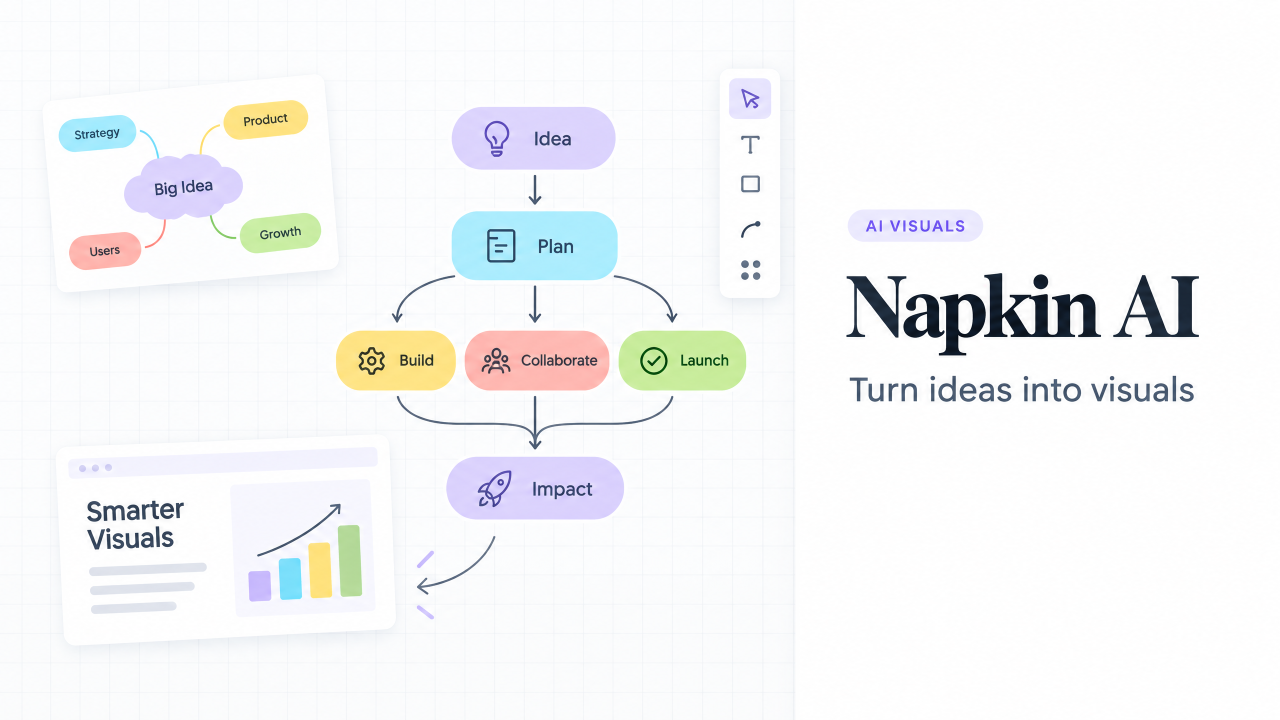
Napkin AI describes itself as a visual communication platform that turns ideas into visuals and presentations. With Napkin Visuals, you can write, paste, or import content and generate diagrams, flowcharts, mind maps, infographics, data charts, and other visual formats.This is useful because a good idea is not always easy to explain with paragraphs alone. Sometimes the fastest way to understand a process, strategy, or relationship is to see it.
What is Napkin AI?
Napkin AI is a tool for converting text into visual communication. You can begin with a sentence, a collection of notes, a document, or a longer piece of content. Napkin then helps transform that information into a visual that can be edited, customized, shared, and exported.The process is simple. You paste your content, generate possible visuals, select the direction you prefer, customize the result, collaborate with others, and export the finished work.Napkin also includes Napkin Slides, which turns ideas into ready-to-present decks. According to the company, the tool collaborates with the user before building the presentation, helping the result feel more personal instead of looking like an automatically generated slideshow.
What Napkin AI is capable of
Visual storytelling
Napkin AI can help transform plain text into a visual story. A block of written information can become a process diagram, a mind map, a timeline, or an infographic.This makes it useful for explaining ideas to people who do not want to read a long document before understanding the main point. It also helps writers and business professionals communicate with a mixture of words and visuals.
Diagrams and flowcharts
Diagrams and flowcharts are particularly useful when you need to explain how something works. For example, you could visualize a customer journey, a product development process, a sales funnel, or the steps involved in an internal workflow.Creating these visuals manually can take a surprising amount of time. You have to decide on the structure, choose a layout, add shapes, format text, and keep everything aligned. Napkin AI gives you a starting point much faster.
Mind maps and idea development
Mind maps are helpful at the beginning of a project when the ideas are still developing. Instead of forcing your thoughts into a strict linear structure, you can use a mind map to see the connections between topics.I find this especially useful when planning articles, courses, business ideas, or presentations. The visual structure can reveal relationships that are not obvious when the same information is written as a list.
Infographics and data charts
Napkin AI can also help present information in a more engaging format. An infographic can summarize a complex idea, while a data chart can make comparisons and trends easier to understand.Of course, the underlying data still needs to be accurate. Napkin AI can help with the communication and presentation of information, but it should not replace careful checking of numbers, sources, or assumptions.
Importing and exporting content
Napkin supports the import of PPT, DOC, PDF, HTML, and MD files. The free plan includes unlimited PNG and PDF exports, while paid plans add unlimited PPT and SVG export.This makes the tool more practical than a visual experiment that stays inside one platform. You can create a visual in Napkin and then use it in a blog article, presentation, report, social media post, or internal document.
Five reasons we enjoy using Napkin AI
1. It makes abstract ideas easier to explain
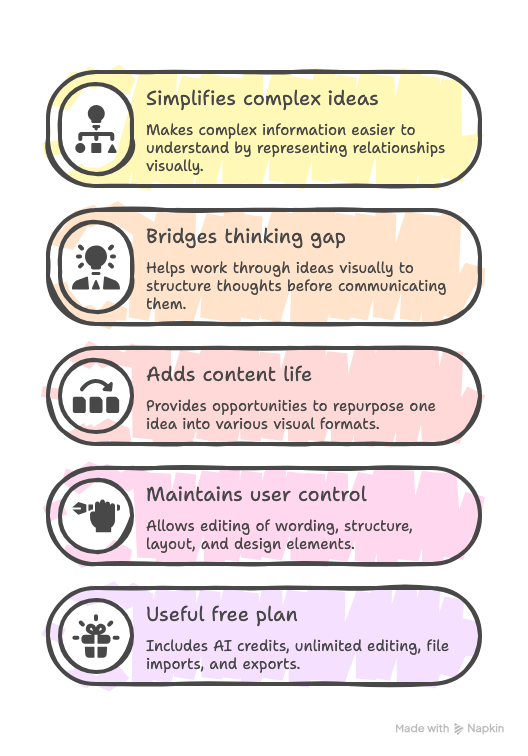
Some concepts are difficult because they involve multiple steps or relationships. A paragraph can describe those relationships, but a visual can show them immediately.Napkin is useful when I want to make an idea clearer without oversimplifying it. The visual becomes a map that helps the reader understand how the pieces fit together.
2. It helps me move from thinking to communicating
There is often a gap between having an idea and explaining it well. Napkin AI reduces that gap by giving me a visual structure to work with early in the process.I do not have to wait until the idea is perfectly organized. I can start with rough notes, generate a few directions, and then improve the version that feels most useful.
3. It is useful for content creation
A blog article does not have to contain only paragraphs. A diagram can summarize the article. An infographic can become a social media asset. A flowchart can help readers apply the advice.For content writers, this creates more ways to reuse one idea without simply repeating the same text on different platforms.
4. It supports customization instead of locking users into one output
AI-generated content is rarely perfect on the first attempt. The ability to edit and customize the visual is therefore important.Napkin’s workflow allows users to select a visual direction, adjust the result, and continue shaping it. The AI provides a starting point, but the user remains responsible for the final message and design.
5. The free plan is genuinely useful
Napkin’s free plan costs $0 and includes 500 AI credits per week, unlimited visual editing, unlimited file imports, built-in styles and fonts, standard icons, and unlimited PNG and PDF exports.This is enough for a new user to test the product properly. You can create visuals, edit them, export them, and decide whether the tool fits your workflow before paying for additional features.
Napkin AI pricing
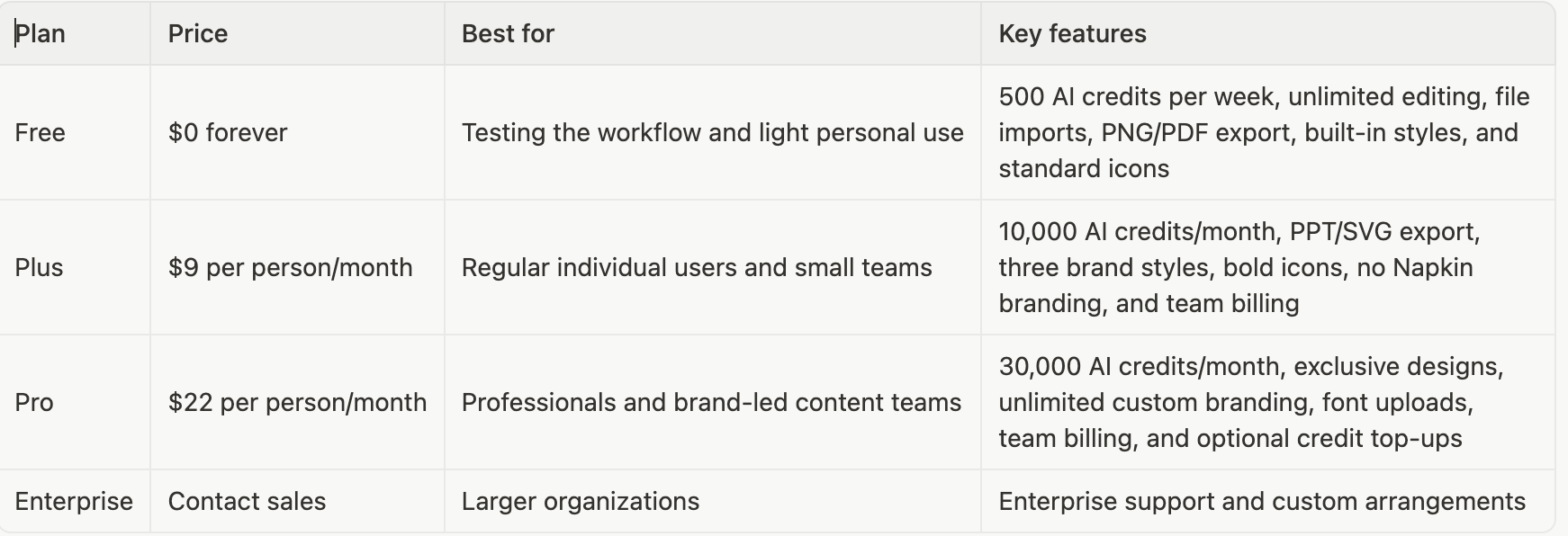
Napkin offers a free plan, a Plus plan, and a Pro plan. The pricing below reflects the public monthly pricing shown on the company’s pricing page and may change over time
Napkin says annual billing offers a 25% saving compared with monthly billing. The pricing page also explains that AI credits are used when generating visuals, with approximately one credit charged per word selected for generation. That measurement may change for more complex outputs or advanced features.
Limitations to consider
Napkin AI is not a substitute for strategic thinking, data analysis, or design judgment. It can help you organize and present information, but it cannot determine whether your idea is correct or whether your data supports the conclusion you want to make.The first visual may also require editing.
A generated diagram can be structurally useful but still need changes to its wording, order, emphasis, or branding. This is not a weakness unique to Napkin. It is simply the reality of working with generative AI.
The free plan also includes Napkin branding, and some export formats are reserved for paid users. If you need custom fonts, brand controls, PPT or SVG export, or higher monthly credit limits, you will probably need Plus or Pro.
Finally, anyone working with confidential information should review the platform’s privacy and data-sharing settings. Napkin states that users can opt out of having their data used to train models and that information may be shared with AI subprocessors to provide the service.
Our verdict
Napkin AI is one of the most practical AI tools I have used for visual communication. It does not try to replace the thinking behind an idea. Instead, it helps turn that thinking into something that other people can understand more quickly.
I particularly like it for articles, presentations, business processes, learning materials, and early-stage idea development. The free plan makes it easy to experiment, while the paid plans add the export and branding features that professionals may need.
Start with a real piece of content. Paste in an article outline, a business process, a lesson plan, or a strategy document. Generate a few visual options. Then ask yourself whether the result makes the idea easier to understand.
If the answer is yes, Napkin AI may become a valuable part of your content and communication workflow.
Visit Napkin AI
Written by
Kenechukwu Chinegwu
Marketing Manager,